SCIENCEGATE

  • Home
  • Products
  • Profile
  • About Us
    • Events
    • Career
  • Contacts
 

Contact Us (65) 6561 0488

 
  • Series
  • Specifications
  • Features
  • Options
  • Downloads

STW6000 Series Lineup / Specifications

 
Display Size Product Name Model No Color Touch Panel Interface Details
STW6700WA
15" Wide (FWXGA)
STW-6700WA PFXSTW6700WAD 16 million colors Resistive film (analog) Ethernet x 2*1
USB Type A x 1*2
Specifications
STW6600WA
12" Wide (WXGA)
STW-6600WA PFXSTW6600WAD Specifications
STW6500WA
10" Wide (WSVGA)
STW-6500WA PFXSTW6500WAD Specifications
STW6400WA
7" Wide (WVGA)
STW-6400WA PFXSTW6400WAD Specifications
STW6200WA
4" Wide (WQVGA)
STW-6200WA PFXSTW6200WAD Ethernet x 1
USB Type A x 1*2
Specifications
 

*1ETH1 and ETH2 have the same IP address and MAC address.

*2The USB (micro-B) interface is disabled


  • Series
  • Specifications
  • Features
  • Options
  • Downloads

STM6000 Series Support / Downloads

Manual

  • STM6000 Series Hardware Manual (PDF)
  • STM6000 Series Installation Guide

Datasheet

  • STM6000 Series Datasheet


  • Series
  • Specifications
  • Features
  • Options
  • Downloads

STM6000 Series Option

Serial Interface

* The cable/adapter requirements vary depending on other devices. 
Product Name Model No. Description
RS-422 Terminal Block
Conversion Adapter
PFXZCBADTM1 Connects output from a serial interface (D-sub 9 pin plug)
directly to an RS-422 terminal block.
COM Port Conversion Adapter CA3-ADPCOM-01 Connects optional RS-422 communication items to serial interface.
RS-232C Isolation Unit CA3-ISO232-01 Connects a host controller to this product and provides isolation
(RS-232C and RS-422 are switchable).

USB (Cables/Adapters)

USB (Type A) Interface

Product Name Model No. Description
USB Front Cable (1 m) CA5-USBEXT-01 Extension cable that attaches USB interface to front panel.

USB (micro-B) interface

Product Name Model No. Description
USB Transfer Cable PFXZUSCBMB2 Cable for transferring screen data from a PC (USB Type A) to this product (USB micro-B)
USB (micro-B) Front Cable PFXZCIEXMB2 Extension cable that attaches USB interface to front panel.

Software

Product Name Model# Descriptions
BLUE Professional PFXBLPCZLSPAZZ Single license Email
PFXBLPCZLSPMZZ Paper
PFXBLPCZLGPA31

Group License
(3 Licenses)

Virtual delivery
PFXBLPCZLGPM31 Printed delivery
PFXBLPCZLTPA31 Team License
(10 Licenses)
Virtual delivery
PFXBLPCZLTPM31 Printed delivery
BLUE Basic*1 PFXBLECZLSRAZZ Single license Email
PFXBLECZLSPMZZ Paper
BLUE Web Viewer Runtime PFXWRT001 Single license License Keycode
PFXWRT010 10 Licenses
PFXWRT100 100 Licenses
BLUE USB Media Installer PFXBTUSB32 USB Media with an installer

Others

Product Name Model No. Description Compatible Model
Screen Protection Sheet 
with UV protected
4-inch PFXZCIDS42 Disposable, dirt-resistant and ultra-violet protection sheet ( 1 sheet /set ) STM-6200WA
7-inch PFXZCIDS72 STM-6400WA
Rear Module Installation
Adapter
PFXZCM6DSA Adapter for installing the rear module on a DIN rail. All models
Spacer 4-inch PFXZCM6MP2

Plate for adjusting installation panel thickness

for display module.

STM-6200WA
7-inch PFXZCM6MP4 STM-6400WA
Display Module/Rear Module
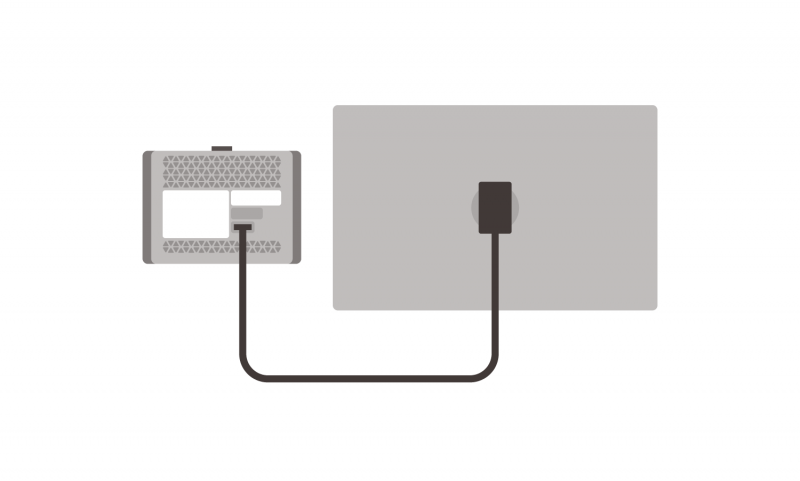
Separation Cable
3 m PFXZCM6SM3

Cable for use when installing the rear module and

display module apart from the other.

All models
5 m PFXZCM6SM5 All models
10 m PFXZCM6SM10 All models

Maintenance

* Please purchase when the product is damage or lost.
Product Name Model No. Description Compatible Model
Rear Module PFXSTM6B Rear module for STM6000 Series All models
Display Module 4-inch PFXSTM62TP Display modules for STM6000 Series STM-6200WA
7-inch PFXSTM64TP STM-6400WA
Installation Gasket 4-inch PFXZCIWG44 Provides dust and moisture resistance
when this product is installed into a solid panel (1 piece).
STM-6200WA
7-inch PFXZCIWG74 STM-6400WA
DC Power Supply Connector CA5-DCCNM-01 Connector to connect DC power supply cables. All models
USB Clamp Type A (for 1 port) PFXZCBCLUSA1

Clamp to prevent disconnection of USB cable
(for 1 port, USB Type A, 5 pieces/set)

All models
Display Installation Nut PFXZGMNT1 Nut to install the display module (10 pieces/set) All models
Socket Wrench PFXZGMSW1 Socket wrench to tighten and loosen the display installation nut All models
Accessories Kit PFXZCM6KIT Anti-rotation Tee,USB Clamp Type A, USB Clamp mini-B *2
(1 piece/each)
All models

*2Basic License doesn’t support WEB API and OPC-UA.

*2USB Clamp mini-B can be used for optional USB micro-B cables.


  • Series
  • Specifications
  • Features
  • Options
  • Downloads

STM6000 Series Features

Refined

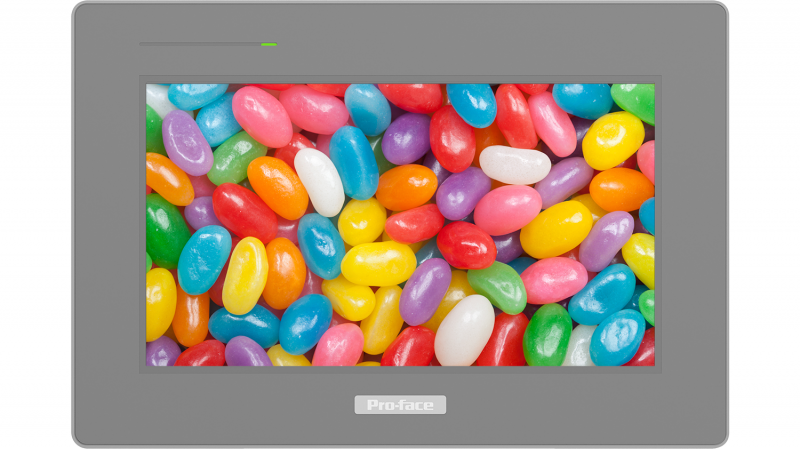
16 Million Colors

Achieve the previously unimaginable and bring displays to life with 16 million colors.

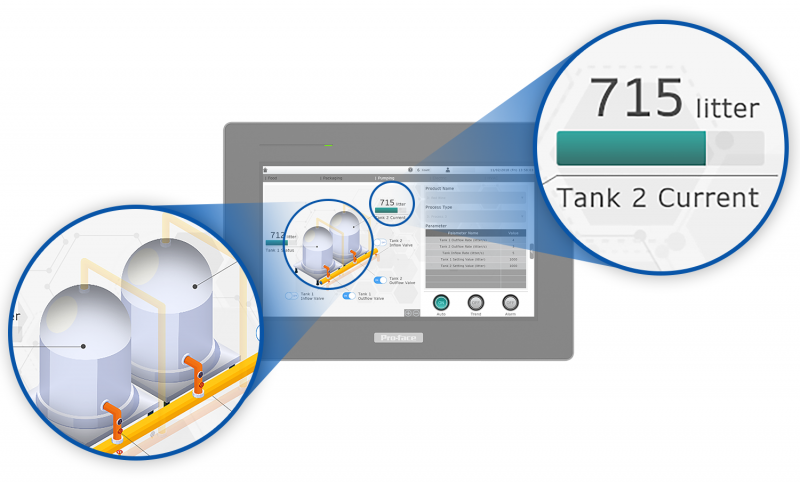
Better Graphics and Font

Display beautiful fonts with anti-aliasing.

Customize gradation and transparency to meet your needs.

Simple & Easy

Color Set and Coveter *only BLUE

Support HMI project designer to adapt/customize projects and create easily situational awareness projects delivering more intuitive projects to the operators.

ST6000 Simple  Easy_01

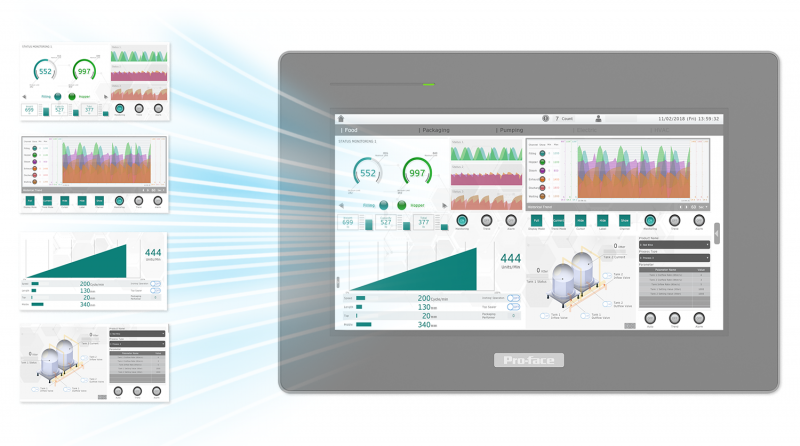
Multi-screen

Simply display all necessary screens in one place. Multi-screen information gives rise to improvement in operation efficiency.

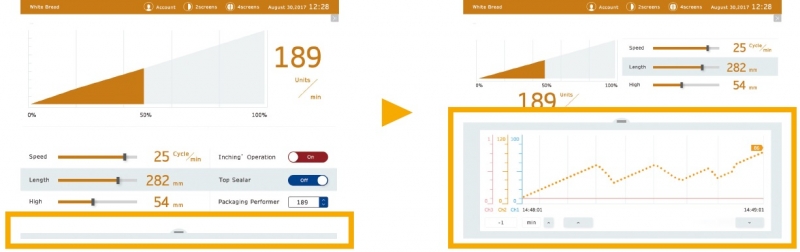
Responsive Behavior (Dock Panel) *only BLUE

Adapt the size of information to meet your needs with one click on the dynamic display.

blue_feature_1_en

Easy & Fast Installation

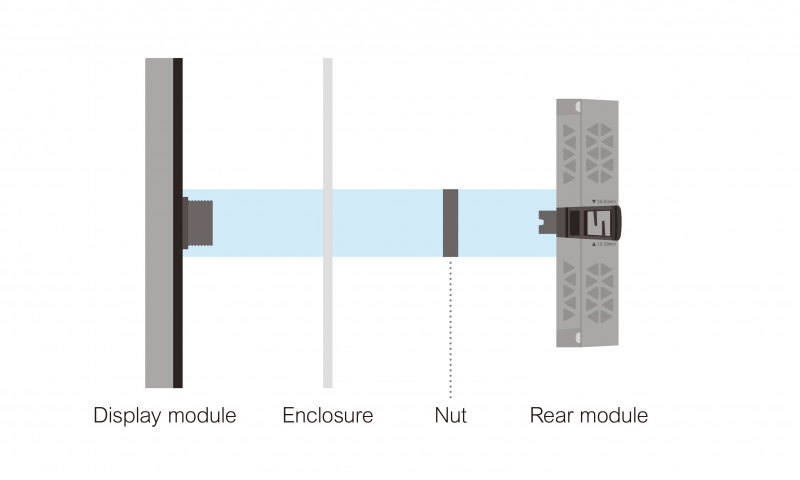
The product can be installed easily as no tools are necessary and very fast with the unique push-button mounting system through a φ22 mm circular hole.

Flexible Installation

Thanks to modularity design, for specific applications (space, temperature, or vibration constraints ) product can be separated with cable accessory 3m, 5m,10m to install the Display module on the panel door and the rear module on DIN rail with dock station adapter.

Effortless Migration

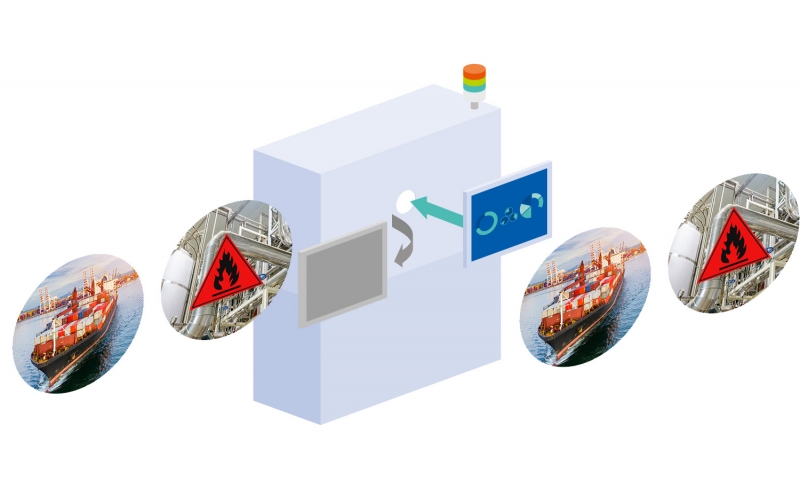
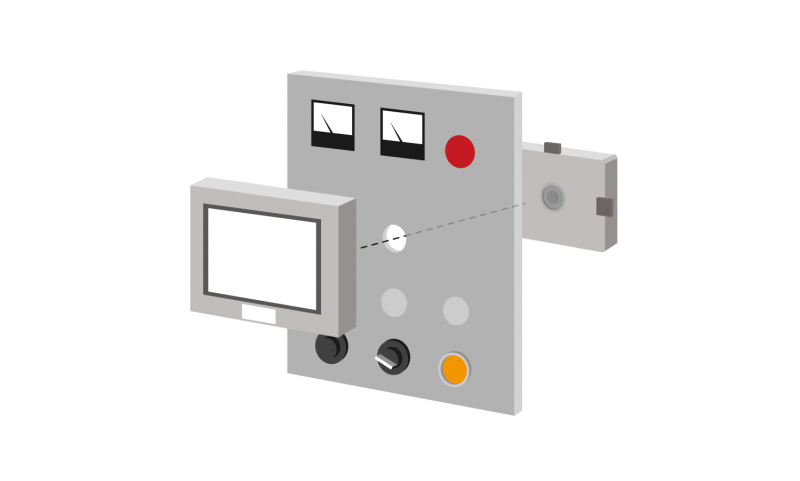
Using the same cut-out free system  Hardware substitution at the same place of GP4000M series is easy to do.  The same level of certifications including Marine & Hazardous Location ( UL Class1 Div2 and ATEX zone 2/22 ) for identical applications
*ATEX/IECEx Zone 2/22 will be acquired in2021. *Marine will be acquired in2022.

Easy Maintenance

Spare part front & rear modules are available to replace the faulty part.

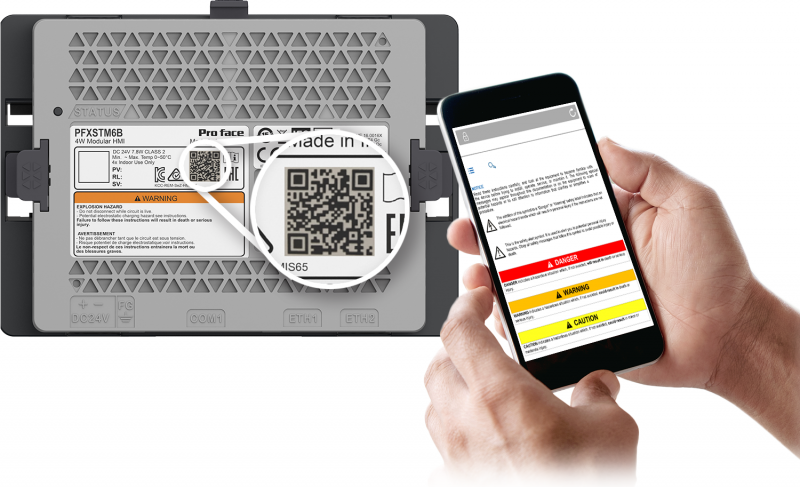
Easy Access to User Manual

User manual via a QR code on the product label for easy maintenance on filed.

Connected & Secure

Pro-face connectivity

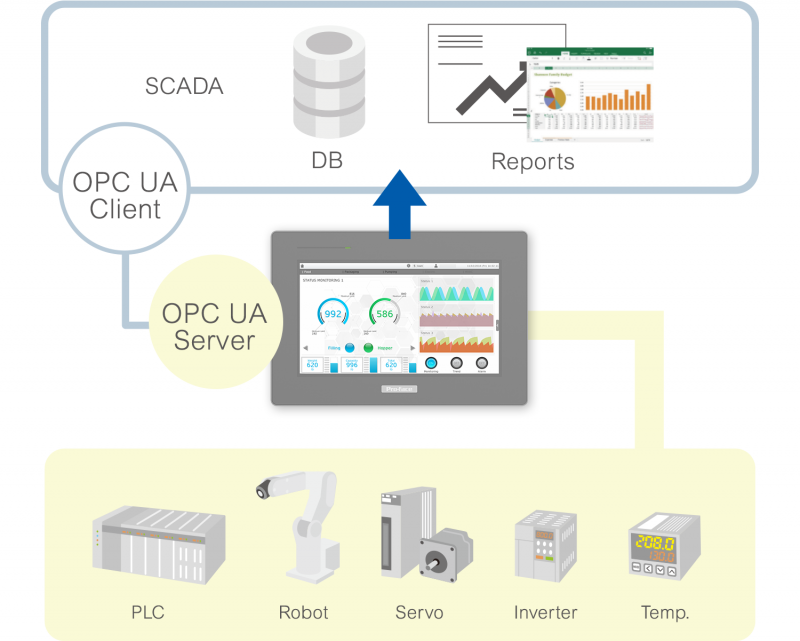
User-friendly protocols allowing you to connect your devices with ease via multiple interfaces
and connect OT to IT with OPC-UA server.

Remote Visualization on PC or Tablet / SmartPhone with Web Viewer.

Secure remote access solution

"Pro-face Connect" is a ready-to-use solution for Remote Access Over Internet on ST6000 Series without
programming or configuring each device. Start using the cloud based "Pro-face Connect" Smart Industry solution on your existing network without involving your IT department. No network or firewall configurations are required and still the highest level of security and encryption is in place from end to end, from any PC, tablet and smartphone to your machinery.

ST6000 Pro-face connect

Enhanced cybersecurity

Enhanced cybersecurity against basic intentional attacks


•Need admin rights to download project to HMI target
•Auto user log out after predefined idle time
•Doing security checking during booting
•Secure Ethernet download supported by IPSec and password protected project file
AchillesCertifiedBlue


PFXSTM6200WAD

Standard product information
Family 
HMI
Series 
ST6000 Series
Size 
4" Wide
Model 
PFXSTM6200WAD
Global Code 
PFXSTM6200WAD
Product Features 
Modular 4" DC Analog
Repair Status 
- (Maintenance service is not available. Replace with a new unit under warranty.)

The power consumption for the combined unit of the rear module and the display module equals the sum of power consumption of the two modules.

EQUIPMENT DAMAGE
• Store this product in areas where temperatures are within the product’s specifications.
• Do not restrict or block the product’s ventilation slots.
Failure to follow these instructions can result in equipment damage.

Display specifications
Display type 
TFT Color LCD
Display size 
4.3" Wide
Resolution 
480 x 272 pixels
Effective display area 
W95.04 x H53.86 mm [W3.74 x H2.12 in]
Display colors 
16 million colors
Backlight 
White LED (Not user replaceable. When replacement is required, contact your local distributor.)
Backlight service life 
50,000 hrs. or more (each in continuous operation at 25 °C [77 °F] before backlight brightness decreases to 25%)
Brightness control 
16 Levels (Adjusted with touch panel or software)
Touch panel type 
Resistive Film (analog, single-touch)
Touch panel resolution 
1,024 x 1,024
Touch panel lifetime 
1,000,000 times or more
Electrical specifications
Rated input voltage 
24 Vdc
Input voltage limits 
19.2 to 28.8 Vdc
Allowable voltage drop 
5 ms or less
Power consumption 
(Rear module) Max. 6.8 W
(Rear module)When power is not supplied to external devices: 3.5 W or less
(Display module) Max. 1.0 W
(Display module)When power is not supplied to external devices: 0.6 W or less
In-rush current 
30 A or less
Voltage endurance 
1,000 Vac, 20 mA for 1 minute (between power terminal and FG terminals)
Insulation resistance 
500 Vdc, 10 MΩ or more (between power terminal and FG terminals)
Environmental specifications
International safety standards 
ce.gifctick.gifeac.gifkc.giful508.gif
Surrounding air temperature 
0 to 50 °C [32 to 122 °F]
Storage temperature 
-20 to +60 °C [-4 to 140 °F]
Ambient humidity 
10 to 90 % RH (Wet bulb temperature: 39 °C [102.2 °F] max. - no condensation)
Storage humidity 
10 to 90 % RH (Wet bulb temperature: 39 °C [102.2 °F] max. - no condensation)
Dust 
0.1 mg/m3 (10-7 oz/ft3) or less (non-conductive levels)
Pollution degree 
For use in Pollution Degree 2 environment
Corrosive gases 
Free of corrosive gases
Air pressure (altitude range) 
800 to 1,114 hPa (2,000 m [6,561 ft.] above sea level or less)
Vibration resistance 
IEC/EN 61131-2 compliant
5 to 9 Hz single amplitude 3.5 mm [0.14 in.]
9 to 150 Hz fixed acceleration: 9.8 m/s2
X, Y, Z directions for 10 cycles (approx. 100 min.)
Concussion resistance 
IEC/EN 61131-2 compliant 147 m/s2, X, Y, Z directions for 3 times
Electrical fast transient/burst 
IEC 61000-4-4
2 kV: Power port (display unit)
1 kV: Signal ports
Electrostatic discharge immunity 
Contact Discharge Method: 6 kV
Air Discharge Method: 8 kV
(IEC/EN61000-4-2 Level 3)
Memory
Application memory 
When using BLUE:FLASH EPROM 128MB

Removable System: No
Backup memory 
When using BLUE:NVRAM 500KB

Battery: Unreplaceable battery by the customer/ Primary battery for clock data backup
Interface specifications
Serial (COM1) 
Asynchronous Transmission: RS-232C / 422 / 485, Data Length: 7 or 8 bits, Stop Bit: 1 or 2 bits, Parity: None, Even or Odd, Data Transmission Speed: 2,400 to 115,200 bps, Connector: D-Sub 9 pin (plug)
USB (Type A) 
Conforms to USB 2.0 (Type A) x 1
Power supply voltage: 5 Vdc ±5 %
Output Current: 500 mA or less
Communication distance: 5 m [16.4 ft.] or less
USB (micro-B) 
USB 2.0 (micro-B) x 1, Communication Distance: 5 m [16.4 ft]
Ethernet 
IEEE802.3i / IEEE802.3u, 10BASE-T / 100BASE-TX, Connector: Modular jack (RJ-45) x 2
Structural specifications
Grounding 
Functional grounding: Grounding resistance of 100 Ω, 2mm2 (AWG 14) or thicker wire, or your country's applicable standard. (Same for FG and SG terminals)
Cooling method 
Natural air circulation
Structure 
Rear Module: IP20
Display Module: IP65F, UL 50/50E, Type 1, Type 4X (indoor use only), Type 12, Type 13*1
External dimensions 
Rear Module: W145.6 x H108.23 xD 41.4 mm [W5.73 x H4.26 x D1.63 in] (excluding protrusions)
Display Module: W140.4 x H101.1 x D13.9 mm [W5.53 x H3.98 x D0.55 in] (excluding protrusions)
Panel cut-out dimensions 
Diameter 22.5 mm (0.88 in)
Weight 
Rear Module: 0.27 kg (0.6 lb) or less
Display Module:0.22 kg (0.49 lb) or less

*1

The front face of the unit, installed in a solid panel, has been tested using conditions equivalent to the standards shown in the specification. Even though the unit's level of resistance is equivalent to these standards, oils that should have no effect on the unit can possibly harm the unit. This can occur in areas where either vaporized oils are present, or where low viscosity cutting oils are allowed to adhere to the unit for long periods of time. If the unit's front face protection sheet becomes peeled off, these conditions can lead to the ingress of oil into the unit and separate protection measures are suggested. Also, if non-approved oils are present, it may cause deformation or corrosion of the front panel's plastic cover. Therefore, prior to installing the unit, be sure to confirm the type of conditions that will be present in the unit's operating environment. If the installation gasket is used for a long period of time, or if the unit and its gasket are removed from the panel, the original level of the protection cannot be guaranteed. To maintain the original protection level, be sure to replace the installation gasket regularly.

Dimensions
External dimensions 
Panel cut-out dimensions 
A B C
118.5 mm (+1/0 mm)
(4.67 in. [+0.04/0 in.])
92.5 mm (+1/0 mm)
(3.64 in. [+0.04/0 in.])
1.6 to 5 mm
(0.06 to 0.2 in.)
When installing
ST-6200WA with spring clips:
Position 1: 1.5 to 4 mm
(0.06 to 0.16 in.)
Position 2: 4 to 6 mm
(0.16 to 0.24 in.)


  1. Proface | STM6000 Series | PFXSTM6400WAD
  2. Proface | STM6000 Series | Specifications
  3. Proface | STM6000 Series | Intro
  4. Proface | STM6000 Series

Page 23 of 128

  • 18
  • 19
  • 20
  • 21
  • 22
  • 23
  • 24
  • 25
  • 26
  • 27

Brands

  • BeanAir
  • Control Techniques
  • Delphin
  • Exemys
  • Flowline
  • Futek
  • Hakko
  • Kansai
  • KARI
  • LCM System
  • Micro Epsilon
  • MIRUS
  • Pavone
  • Proface
  • Solartron Metrology
  • STS
  • VALCOM

About Us

  • Events
  • Career
  • Download
  • Contacts
bizSAFE3
PGO9
 

SCIGATE AUTOMATION (S) PTE LTD @ 2025. ALL RIGHTS RESERVED.